Why YouTube Creators Need AI Tools Today

Creating YouTube videos has never been easier and more challenging at the same time. Your audience expects crisp editing, engaging thumbnails, professional voiceovers, and SEO-optimized titles. Doing all this manually can take 15-20 hours per video.
This is where AI tools for YouTube video creation become game-changers. Recent studies show that creators using these tools produce content three times faster than those working manually. The best part? Most are either completely free or cost less than your Netflix subscription.
YouTube itself has embraced AI wholeheartedly. The platform launched Auto-Dubbing with Lip Sync, Ask Studio (an AI chat tool), and an Inspiration Tab that suggests topics based on your channel’s performance. This tells us one thing: AI isn’t the future of AI tools for YouTube video creation it’s happening right now.
Whether you’re a complete beginner from Delhi or an established creator in Bangalore, the right AI tools for YouTube video creation will transform your workflow. You’ll spend less time wrestling with software and more time focusing on what matters: creating content that resonates with your audience.
Best AI Tools for YouTube Script Writing
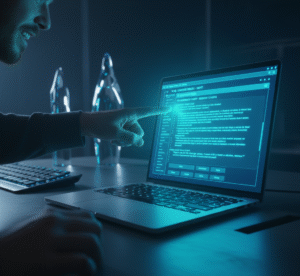
Writer block doesn’t care if you’re a professional or a beginner. Staring at a blank page hoping words magically appear isn’t a strategy. This is exactly where AI script generators become invaluable.
VidIQ AI Script Generator
VidIQ offers one of the most comprehensive AI tools for YouTube video creation focused on scriptwriting. Instead of brainstorming for hours, you input your video topic and let the AI generate a complete script with:
- A hook that captures attention in the first 15 seconds
- Natural transitions between talking points
- A strong call-to-action at the end
- Pacing suggestions for optimal viewer retention
The magic here is that VidIQ analyzes millions of successful YouTube videos to understand what works. Your script won’t just be grammatically correct; it will also follow proven storytelling patterns that keep viewers engaged and watching.
Subscribr: Your AI Writing Partner
Subscribr takes AI tools for YouTube video creation to another level by learning your personal voice and style. Instead of getting generic robotic scripts, you can chat with the AI about your video idea like you’re talking to a friend. The AI then transforms that casual conversation into a polished, ready-to-film script.
For Indian creators specifically, many of these AI tools for YouTube video creation now support Hindi, Telugu, Tamil, and other regional languages. This is huge if you create it in your native language.
Jasper AI for Brand Consistency
If you’re building a personal brand, Jasper is one of the best AI tools for YouTube video creation for maintaining a consistent voice across all your content. It learns your brand personality and ensures every script feels authentically “you.”
AI Video Editing Tools That Save Hours
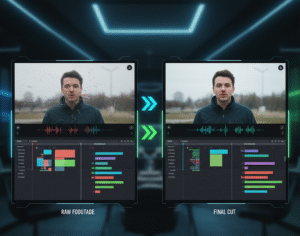
Video editing is where most creators lose the most time. Cutting out silences, removing bad takes, adding transitions, syncing audio it’s exhausting work that doesn’t require creativity, just patience.
Descript: Edit Video Like a Document
Imagine editing videos by simply editing text. That’s what Descript does. Upload your video and Descript automatically transcribes everything. Do you want to remove the section? Delete it from the transcript, and the video adjusts automatically. Want to remove all the “ums” and pauses that make you sound unprofessional? One click, and they’re gone.
This AI tool for has become so popular that professional podcasters use it daily. You don’t need any video editing experience to use it effectively.
Vmaker AI: Complete Automated Editing
Vmaker takes AI tools for YouTube video creation to the next level. Upload your raw footage, and the AI automatically:
- Removes bad takes and awkward silences
- Adds relevant B-roll footage
- Inserts transitions and effects
- Applies background music
- Generates subtitles in 35+ languages
What would normally take 8-10 hours in Adobe Premiere Pro happens in 15 minutes with Vmaker. And the free version has no watermark a massive advantage over competitors.
Gling AI: For Talking-Head Videos
If you create talking-head content, podcasts, or interviews, Gling is one of the smartest AI tools for YouTube video creation. It automatically detects and removes all the parts where you’re not speaking, bad takes, and awkward silences. This alone can cut your editing time by 70%.
Full Video Generation: InVideo AI
Sometimes you don’t have footage at all. Maybe you want to create an explainer video, educational content, or a trending social clip. InVideo AI is an all-in-one solution that generates complete videos from text prompts.
Here’s how these AI tools for YouTube video creation work: you describe your video (“Create a 60-second explainer on AI tools for YouTube video creation”), and the AI generates:
- Professional visuals and stock footage
- Natural voice-over narration
- Matching background music
- Animated subtitles
- Professional transitions and effects
One creator reported getting 11,000 views overnight on a channel created entirely with InVideo AI. For faceless YouTube channels which are hugely popular, these AI tools for YouTube video creation are absolutely gold.
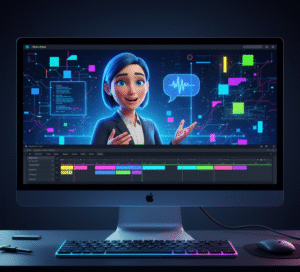
Creating Complete Videos with AI
Pictory: Text to Video Conversion
Pictory specializes in converting blog posts or scripts directly into professional videos. Feed it your article, and it creates a video with:
- Auto-selected relevant footage
- Professional pacing
- AI-generated voiceover
- Automatic subtitles in 100+ languages
This is perfect for creators who already blog you can repurpose your written content into video without any additional work.
HeyGen: Avatar-Based Video Creation
HeyGen uses AI to create videos with realistic AI avatars that speak in your chosen voice. You can create videos in minutes without ever being on camera. This is a game-changer for creators uncomfortable on camera or those creating high-volume content.
These AI tools for YouTube video creation are particularly popular in the educational space where personality isn’t as critical as clear information delivery.
AI Thumbnail Makers to Boost Click-Through Rates
Your thumbnail is the billboard for your video. It doesn’t matter how good your content is if nobody clicks on it.
Canva AI Thumbnail Generator
Canva’s Magic Media feature lets you describe what you want in plain English: “A shocked person holding a new smartphone with bright yellow background and bold red text.” The AI generates multiple professional thumbnail options in seconds.
You can then customize fonts, colors, layouts, and positioning with drag-and-drop simplicity. Canva’s AI understands proven thumbnail principles:
- High contrast that stands out in thumbnails
- Readable text at small sizes
- Emotional facial expressions that trigger clicks
- Color psychology that boosts engagement
This is one of the best AI tools for YouTube video creation specifically designed for maximizing click-through rates.
Thumbnail.AI: YouTube-Optimized
Thumbnail.AI is built specifically for YouTube. It understands the 16:9 aspect ratio, knows what text sizes work best, and analyzes high-performing thumbnails in your niche to suggest designs that could work for your channel.
Advanced Strategy: Competitive Analysis
Here’s a workflow that advanced creators use with these AI tools for YouTube video creation:
- Find a trending video in your niche with a high click-through rate
- Download the thumbnail using VidIQ
- Upload it to Claude AI and ask it to describe the design in detail
- Use that description as a prompt in a free AI image generator
- Create a similar-style thumbnail for your video
Professional Voice-overs Using AI
Not everyone is comfortable speaking on camera. Some creators have great ideas but struggle with English pronunciation or don’t have professional recording equipment. AI tools for YouTube video creation have completely eliminated these barriers.
ElevenLabs: Natural Sounding Voices
ElevenLabs is the industry leader for realistic AI voiceovers. The quality is so good that most viewers can’t tell it’s AI-generated. You can choose from hundreds of voices in different accents, ages, and genders.
For Indian creators, ElevenLabs offers:
- Indian English accent options
- Hindi voice generation
- Support for Tamil, Telugu, Kannada, and other languages
- Professional male and female voice options
These AI tools for YouTube video creation sound so natural that you can use them for monetized YouTube videos without losing ad revenue.
PlayHT, Clipchamp, and InVideo AI
All three offer free tiers for voiceover generation. PlayHT offers 14,000 characters monthly on the free plan. Clipchamp lets you add AI narration directly while editing. InVideo AI includes voiceover generation as part of its complete video creation suite.
The key advantage of using these AI tools for YouTube video creation is that you can create an entire video with professional narration without ever recording your own voice.
Important Note on AI Disclosure
YouTube’s new guidelines (starting July 2025) require that you disclose when videos are created with AI or contain significant synthetic media. However, using AI tools for YouTube video creation to enhance your workflow doesn’t require disclosure if you’re still creating original content with your creative input.
YouTube SEO Optimization with AI Tools
Creating great content is only half the battle. If people can’t find your videos, you won’t grow.
VidIQ: AI-Powered Keyword Intelligence
VidIQ is one of the most comprehensive AI tools for YouTube video creation for SEO. Its AI doesn’t just suggest keywords it predicts which keywords will help you rank and get views.
These AI tools for YouTube video creation analyze:
- Your niche and competition
- What’s currently trending
- Search volume and competition level
- Long-tail keywords competitors are missing
- Keyword clusters and related questions
The result? You get video ideas and keywords that have low competition, but high search volume exactly what small creators need to find their audience.
TubeBuddy: Comprehensive SEO Suite
TubeBuddy offers similar AI-powered features. Both VidIQ and TubeBuddy can generate multiple title options that balance being clickable while remaining searchable. They understand that modern YouTube SEO isn’t about keyword stuffing it’s about helping YouTube understand your video’s topic, so it recommends it to the right people.
YouTube’s Built-In Inspiration Tab
YouTube recently launched an Inspiration Tab directly on YouTube Studio. This AI-powered feature analyzes your channel’s performance and suggests nine fresh video ideas every time you open it. These suggestions are specifically tailored to your audience based on watch time, retention, and other metrics.
Creating Your Internal SEO System
Here’s a complete workflow using AI tools for YouTube video creation for SEO:
- Research: Use VidIQ to find keywords with 10K-50K searches and low competition
- Title: Use the AI title generator to create 5 options, pick the best performing one
- Description: Use ChatGPT to write a description that naturally incorporates your focus keyword
- Tags: Use VidIQ’s tag generator to find additional keywords
- Internal linking: Link to related videos and articles (like your comprehensive guides on no-code AI builders where creators can create custom AI tools)
Automatic Subtitles and Caption Generation
The subtitles aren’t optional anymore. They’re essential for:
- Accessibility (helping viewers who are deaf or hard of hearing)
- Viewers watching with sound off (50% of YouTube views are silent)
- YouTube’s algorithm understanding your content better
- International reach through automatic translation
Kapwing: 99% Accurate Subtitles
Kapwing boasts 99% accuracy in its subtitle generation, meaning minimal editing is needed. These AI tools for YouTube video creation offer:
- Automatic transcription in any language
- Perfect timestamping
- Customizable fonts, colors, and animations
- Support for 100+ languages
- One-click translation to other languages
The word-by-word highlighting effect (currently trending on YouTube Shorts) is available in one click.
InVideo AI, Maestra, and Vmaker
All three offer similar functionality:
- InVideo AI: Included as part of video creation, generates subtitles automatically
- Maestra: Specialized subtitle generator with advanced customization
- Vmaker: Free subtitle generation with no watermark, supports 35+ languages and 100+ styles
For creators targeting global audiences, the automatic translation feature is incredible. Generate English subtitles, then translate to Hindi, Spanish, French, or any other language instantly.
Why This Matters for Rankings
YouTube’s algorithm uses subtitles to better understand your content. More accurate subtitles = better understanding = better recommendations to relevant viewers. These AI tools for YouTube video creation help YouTube understand your video, which helps your video rank better.
AI-Generated Music and Background Audio
Copyright strikes are every YouTuber’s nightmare. Using copyrighted music can get your video demonetized or removed entirely. AI music generators solve this completely.
Beatoven.ai: Mood-Based Music Generation
Beatoven.ai generates custom background music in any mood or genre you need:
- Upbeat travel music with lots of drums
- Relaxing piano for meditation content
- Epic cinematic music for movie reviews
- Calm lo-fi beats for study content
These AI tools for YouTube video creation generate music specifically for your video mood, and you own the commercial rights. This is huge for monetization.
Suno AI: Full Track Generation
Suno AI Version 4 produces music that genuinely sounds professional. Many creators are using it to create intro music, outro music, and background tracks. Subscribe to the Pro plan (around ₹670/month) and you own commercial rights to everything you generate.
YouTube’s Native Music Assistant
YouTube has launched Music Assistant directly in Creator Music. This AI tool generates instrumental tracks specifically for YouTube creators completely free, no copyright concerns. It’s rolling out gradually, but it represents YouTube’s commitment to helping creators solve the background music problem.
Building Your Audio Brand
Advanced creators using these AI tools for YouTube video creation build complete audio identities:
- Custom 5-second intro music (generated with AI)
- Custom outro jingle
- Consistent background music style
- Sound effects library
This audio consistency makes your channel recognizable and professional.
Budget-Friendly AI Tools for Indian Creators
Not everyone has an unlimited budget, especially creators just starting out.
Ultra-Affordable Options (Under ₹1,000/Month)
Recent research highlights AI tools for YouTube video creation specifically priced for the Indian market:
- HeyGen: ₹490/month through Indian resellers
- Visla: ₹750/month with 1,000 free credits monthly
- Genmo AI: Similar affordable pricing through Indian resellers
- Pika Labs: Under ₹1,000 for quality video generation
Visla is particularly impressive at ₹750/month because it’s an all-in-one solution combining video generation, editing, and subtitle creation.
Completely Free Options
Many of the best AI tools for YouTube video creation offer generous free tiers:
- InVideo AI: 10 minutes per week of video generation
- Canva: Extensive free features including AI thumbnail maker and video editing
- VidIQ: Free keyword research and video analytics
- TubeBuddy: Free SEO insights and tag suggestions
- Kapwing: Free subtitle generation and video editing
- Clipchamp: Free voiceover and basic video editing
Smart Creator Strategy
Start with free tools, learn the platform, and upgrade to paid only when:
- That tool is directly contributing to your channel growth
- You have a sustainable monetization strategy
- You’re consistently uploading (at least 2 videos per week)
Best Practices When Using AI Tools
While these AI tools for YouTube video creation are powerful, there are important guidelines to follow:
Maintain Authenticity
AI should enhance your voice, not replace it. Use AI-generated scripts as a starting point. Customize them. Add your personality. Tell stories. Your authentic voice is what makes people subscribe.
The best creators use AI tools for YouTube video creation to eliminate grunt work (removing silences, generating subtitles, optimizing tags) so they can focus on what matters: creating genuine, valuable content.
Follow YouTube’s Disclosure Guidelines
Starting July 2025, YouTube implemented stricter rules about mass-produced AI content. The focus is on preventing low-value content from being released. Here’s what matters:
- If you’re creating genuine, valuable content with AI assistance, you’re fine
- If you’re generating thousands of identical low-effort videos, you’ll be flagged
- When required, label synthetic media appropriately
- Synthetic voiceovers are permitted for monetized videos
Don’t Automate Everything
These AI tools for YouTube video creation are meant to automate tedious tasks, not your entire creative process. Use AI to:
- Generate script outlines (then personalize them)
- Remove background noise and silences (then review the edits)
- Generate subtitle options (then proofread them)
- Suggest keywords (then analyze competitiveness yourself)
Final Thoughts: The YouTube Revolution Is Here
AI tools for YouTube video creation aren’t replacing YouTubers, they’re empowering them. Think of AI as your production assistant, researcher, editor, and designer all rolled into one. It handles the grunt work so you can focus on what matters: creating content that helps, entertains, or inspires your audience.
The YouTube landscape in 2025 is more competitive than ever, but it’s also more accessible than ever. A creator in India with a limited budget can now produce content that rivals established channels with professional teams. The only difference is knowledge knowing which tools exist and how to use them effectively.
You don’t need to invest thousands of rupees upfront. Start with free tools, learn the platform, and upgrade strategically as your channel grows.
The future of YouTube creation is here, and it’s powered by AI. The question isn’t whether to use these tools it’s which ones will you master first?
Start experimenting today. Pick ONE tool from this guide, give it a genuine try on your next video, and experience the difference. Most creators who adopt AI tools for YouTube video creation never go back to the old manual.
Your YouTube success is waiting for you. The tools are ready. Now it’s up to you to act.
Pingback: Top AI Voice Changer Tools for YouTubers | Natural Voice (2025)